
Where to Put Your Wi-Fi Router (and Mesh Nodes) for Better Coverage
Omar Haddad · 40 Aufrufe · vor 3 Monaten · Artikel
The mesh Wi-Fi words on the box in plain English, placement rules for the router and each node, two tips for brick walls and dead zones, and a cheat sheet to save.
Full bars on the couch. One bar in the back bedroom, though the box promised "whole-home coverage, dual-band nodes, wireless backhaul."
Here's what those words mean, and where each node actually goes. Brick walls and stairs included.
The words on the box, translated
- Dead zone: a spot where the signal is too weak to use. It shows you the problem. It is not where the node goes.
- 2.4 GHz and 5 GHz: the two radio bands most routers use. 2.4 reaches farther through walls and floors. 5 is faster but shorter. Netgear says 5 GHz gear has to sit fairly close to where you need it.
- Backhaul: the link between nodes. Wireless backhaul means they talk over Wi-Fi. Ethernet backhaul means a cable does it, so the nodes stop spending their own airtime relaying traffic and your devices get that airtime back.
- Line of sight: a clear path between two nodes. Fewer walls in the way, stronger link.
- MoCA: networking over the coax cable already in your walls. The old TV jack. It can carry the backhaul.
Signal or sales talk
Words that change placement: backhaul, band, dead zone. Words that change nothing: "whole-home," "blanket." Promises, not measurements.
False friends
Node, point, satellite. Same box. Google says point. TP-Link says satellite.
The word that oversells
"Coverage up to" a big square-foot number. Google says thick concrete or brick walls affect Wi-Fi performance. TP-Link says Deco range has no fixed distance. Ignore the square feet. Follow the spacing rules.
Where the nodes go
| Rule | Do this |
|---|---|
| Main router | Central, off the floor, in the open |
| Spacing | No more than two rooms apart |
| Distance | Under about 50 feet between nodes |
| Height | About halfway up the wall |
| Avoid | Cabinets, microwaves, metal, fish tanks |
| Two floors | Add a node upstairs or down |
Hidden tip 1: put the node halfway between the router and the dead zone. Not in it. eero says a node there picks up a strong signal and passes it on.
Hidden tip 2: in a brick house, set nodes near doorways. eero says brick, stone and metal are hard for Wi-Fi, and wood is easier to get through. My 1950s brick bungalow agrees.
Best of all: a cable. If you can run Ethernet between nodes, run it. TP-Link says wired units can sit farther apart. No cable? Check for coax jacks in the right rooms. MoCA can use them.
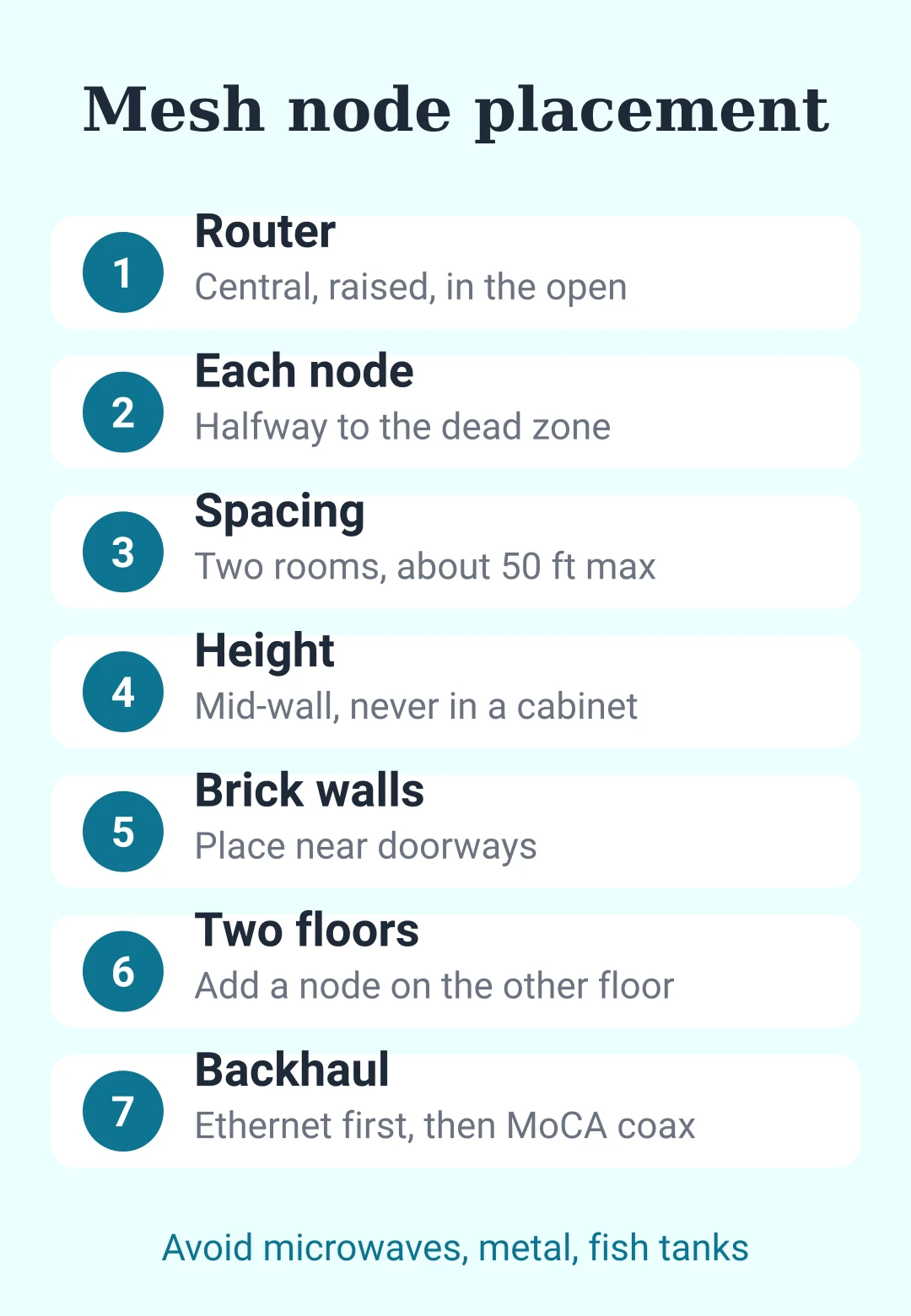
Cheat sheet: mesh node placement
| Rule | Do this |
|---|---|
| Router | Central, raised, in the open |
| Each node | Halfway to the dead zone |
| Spacing | Two rooms, about 50 feet max |
| Height | Mid-wall, never in a cabinet |
| Brick walls | Place near doorways |
| Two floors | Add a node on the other floor |
| Avoid | Microwaves, metal, fish tanks |
| Backhaul | Ethernet first, then coax with MoCA |
| "Coverage up to" | Ignore it, follow spacing |
Learn five words, ignore two, and the box gets a lot quieter.
- wi-fi
- mesh wi-fi
- router placement
- dead zones
- home network
- brick house
- ethernet backhaul
- tech tips
Hat dir dieser Beitrag gefallen?
, um einen Kommentar zu hinterlassen.
Wird geladen…